New in 27.1: the Devices page

The right firmware. On the right device.

Find any version, download it from Apple already verified, and restore the iPhone, iPad or Mac you plug in.

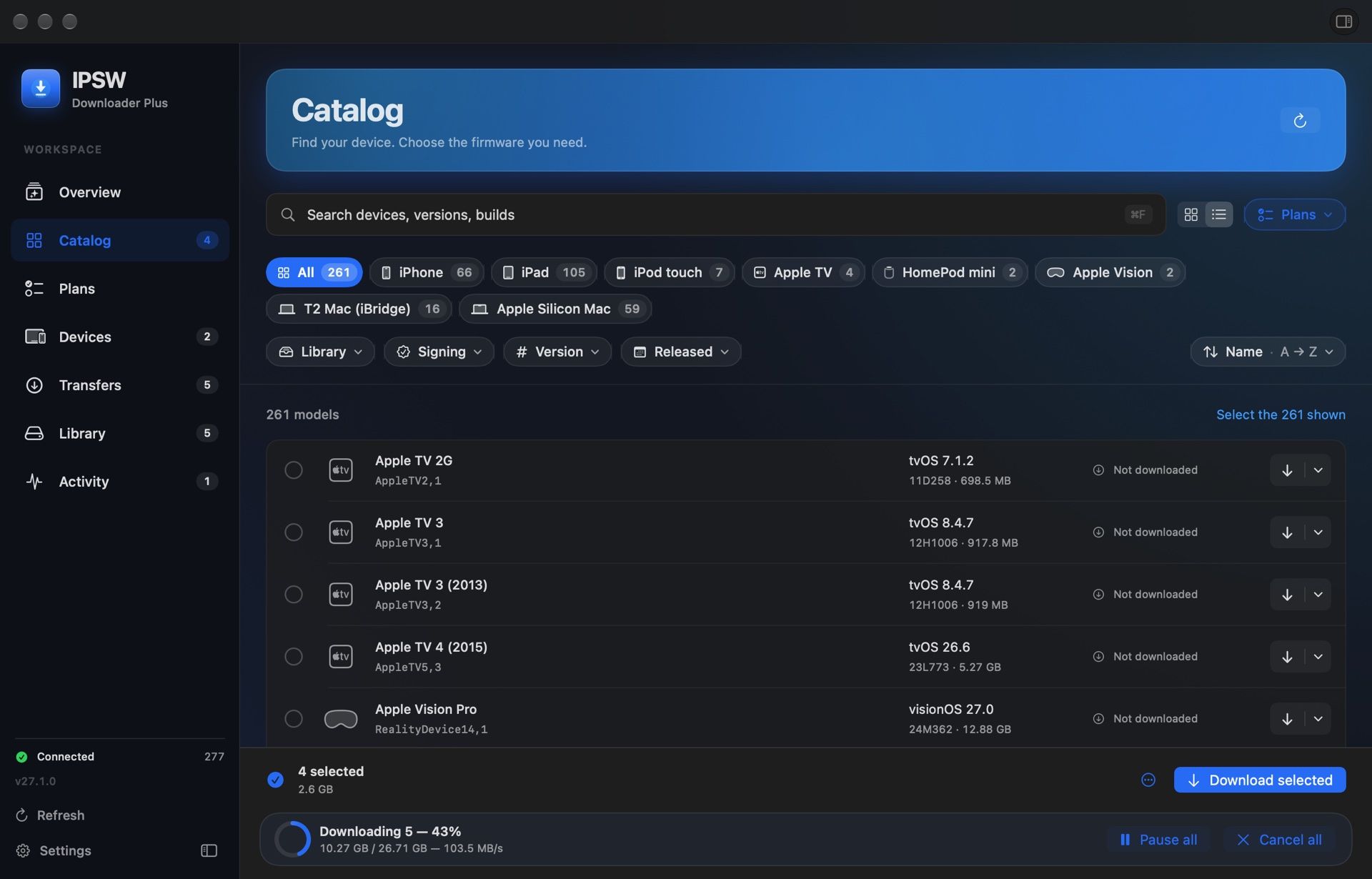
The IPSW Downloader Plus catalog: Apple devices, filters by family, signing and version, and downloads in progress.

From the catalog to the device, one step at a time.

  1. Find

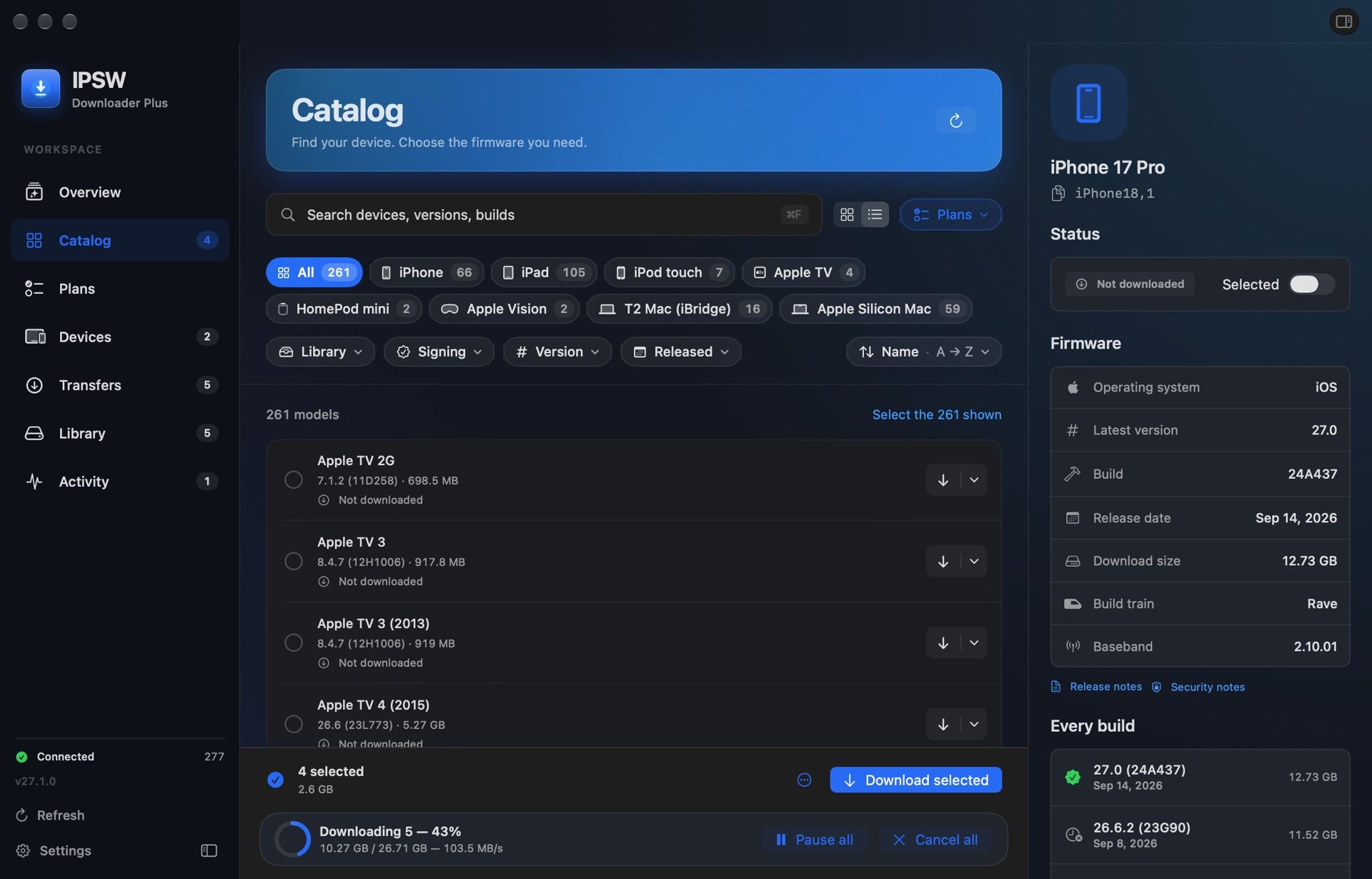
    Every Apple device with every version it ever had. The signing status tells you at once which ones still restore.

    The catalog with an iPhone inspector: versions, builds and the signing status of each.
  2. Download

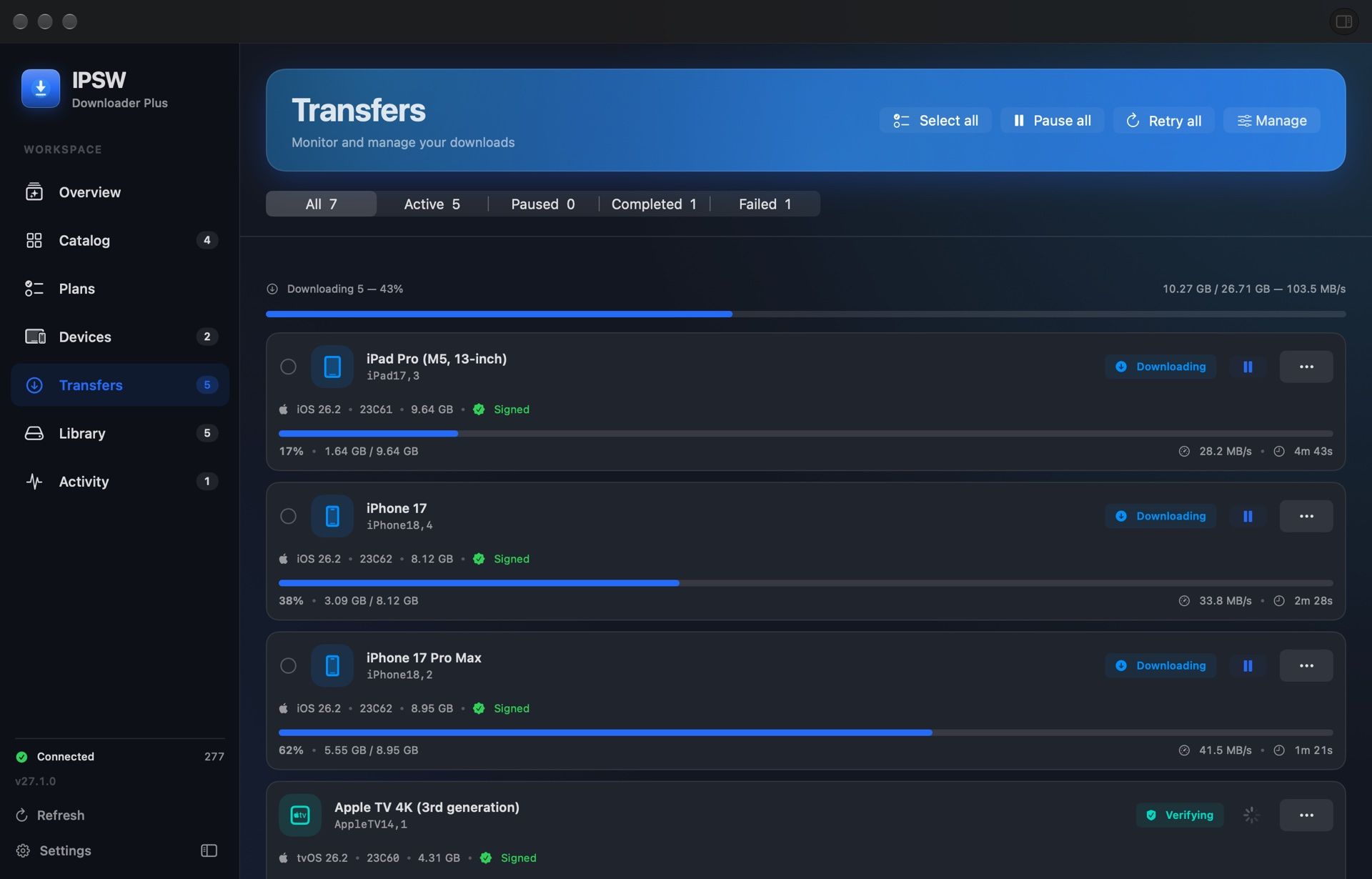
    Straight from Apple’s servers, one at a time or up to five at once with Premium. Pause and resume whenever you like.

    Transfers in progress, with the progress, speed and time left for each firmware.
  3. Organize

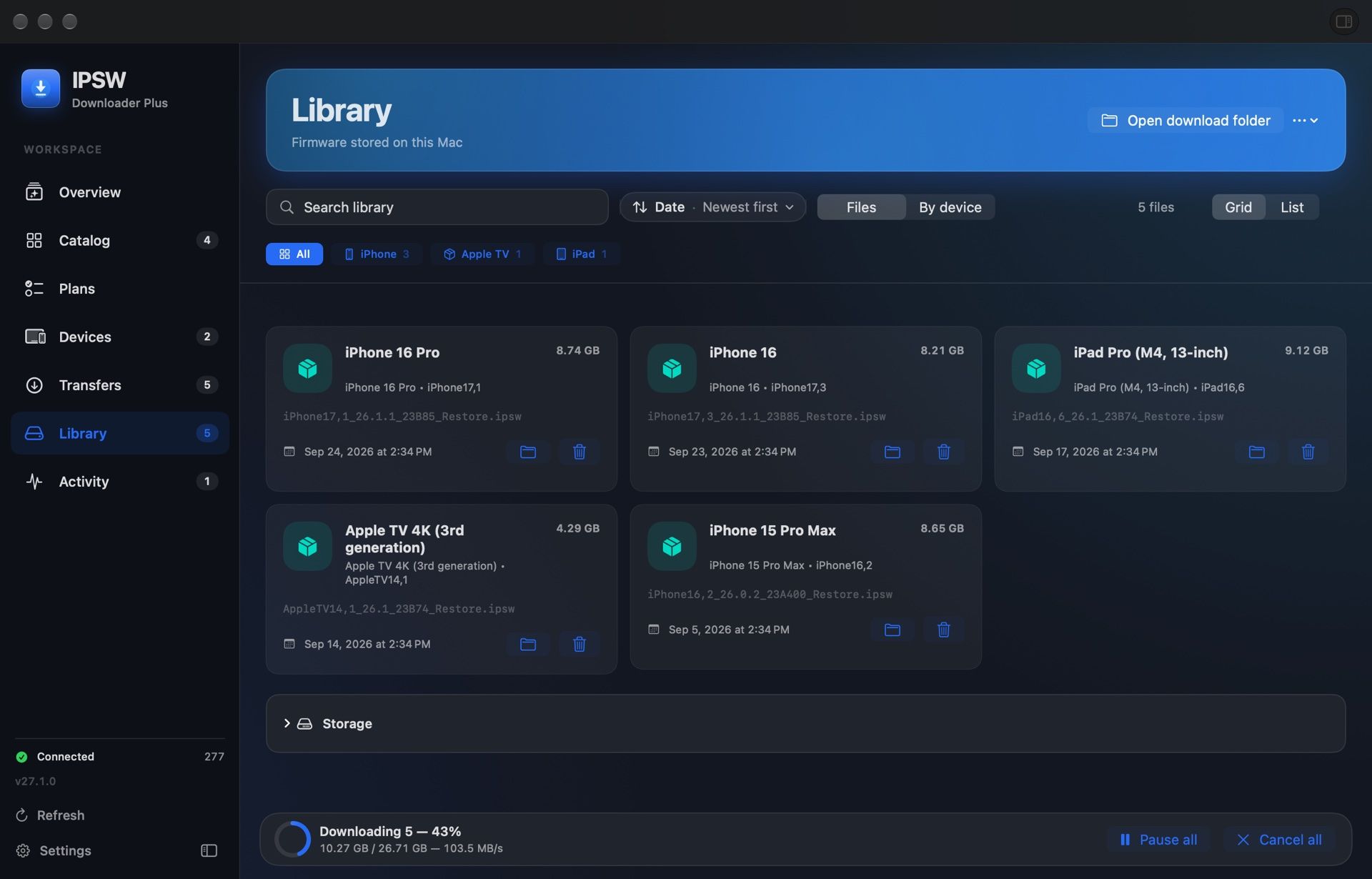
    Files land in Apple’s folders or wherever you prefer. The library shows what you have and what needs updating.

    The library with the firmware already on the Mac, grouped by device.
  4. Restore Premium

    Plug in an iPhone, an iPad or a Mac in DFU: the app recognizes it and restores it with the newest firmware Apple signs.

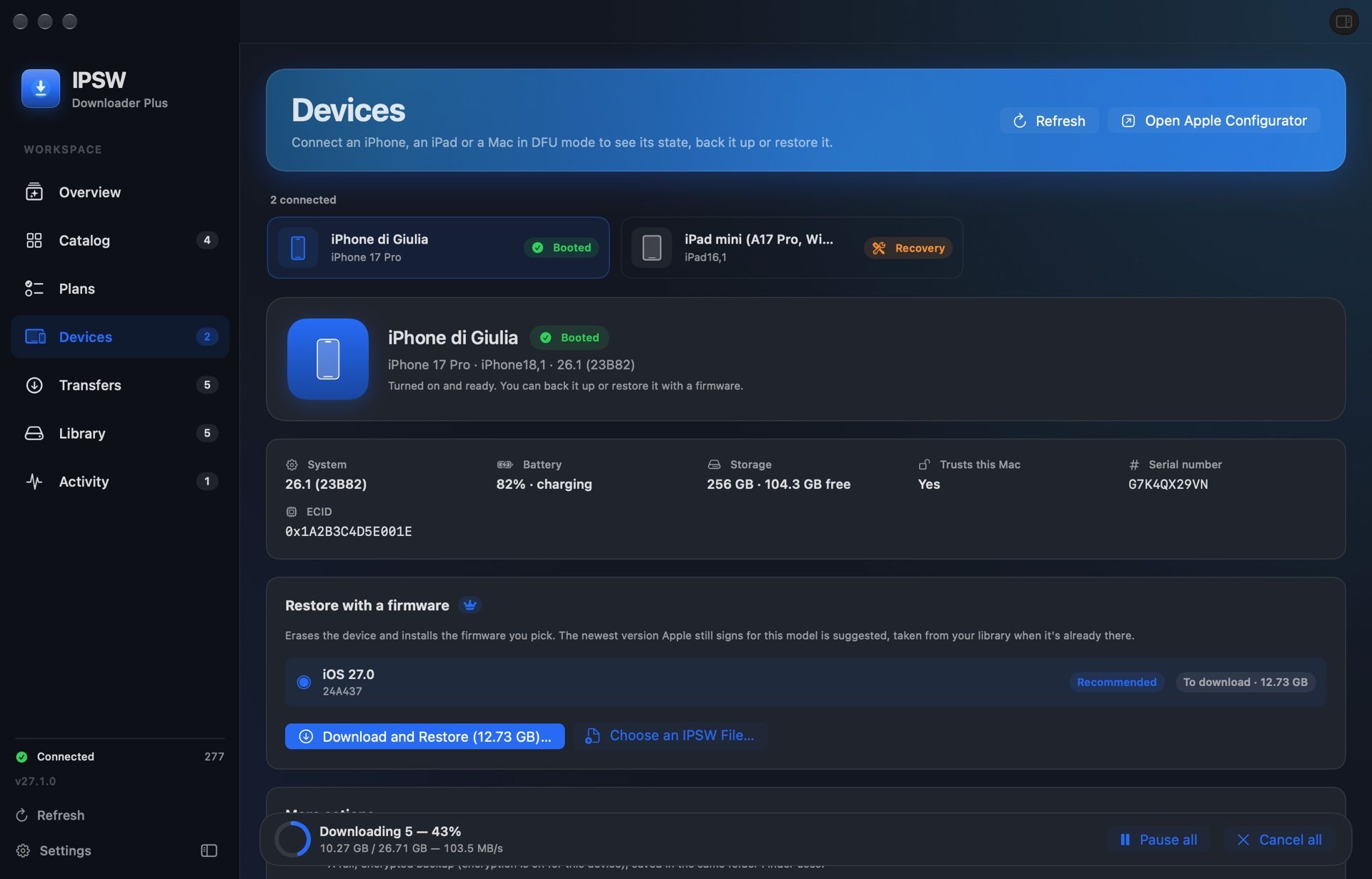
    The Devices page with an iPhone connected: system, battery, storage and the available actions.

Version 27.1 screenshots with demonstration data.

New in 27.1

Plug in an iPhone. Your Mac does the rest.

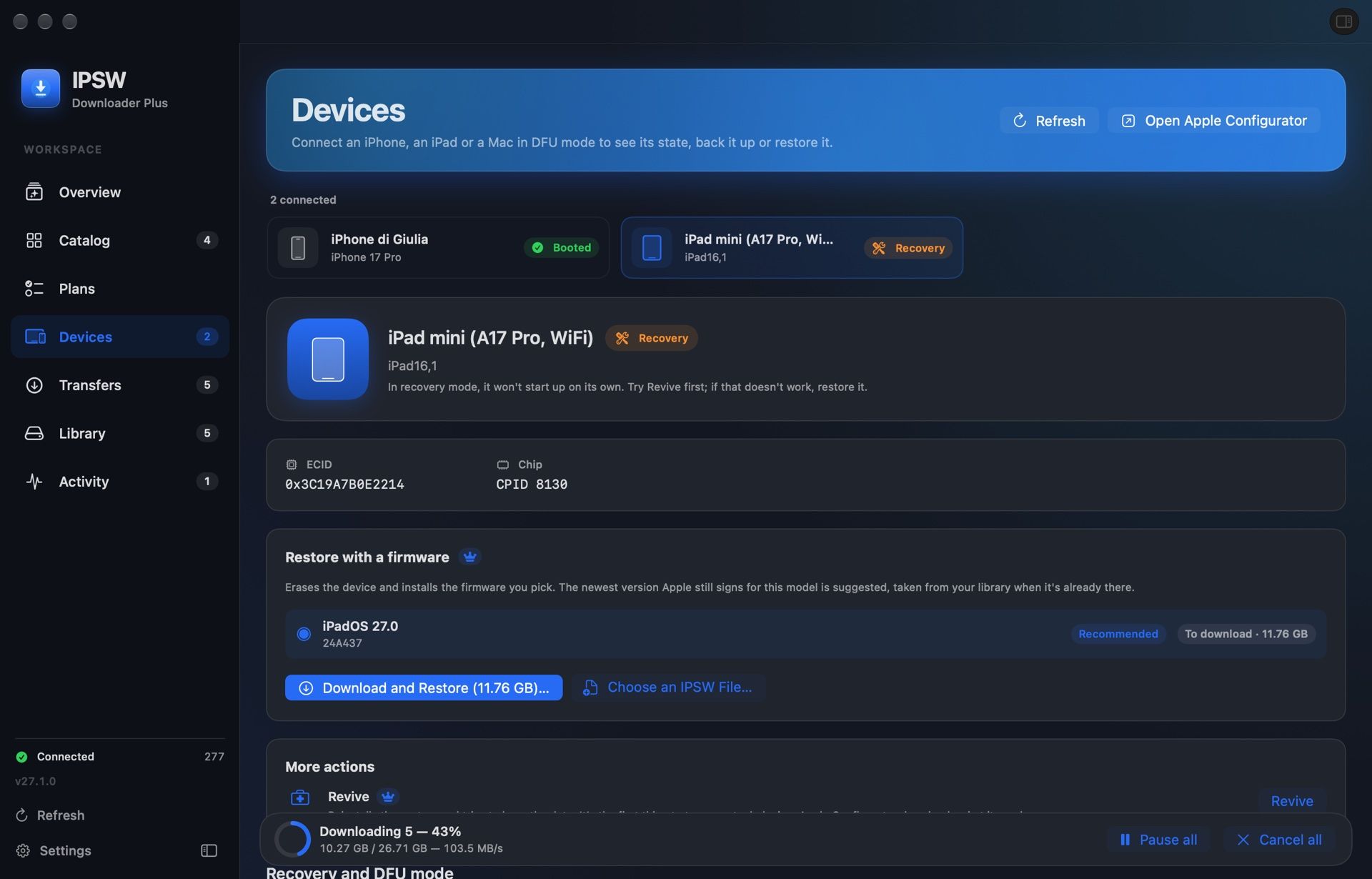
An iPhone, an iPad or a Mac in DFU shows up the moment you plug it in. Restore it, revive it or back it up from there.

  • Booted
  • Recovery
  • DFU
  • Restore Premium

    With the newest firmware Apple signs for that model, from the library or downloaded and verified first.

  • Revive Premium

    A device stuck in recovery or DFU, trying to keep its data.

  • Back up Premium

    To the folder Finder uses, so Finder can restore it.

  • DFU and recovery guides

    Step by step for every button layout, and they tell you when the device gets there.

Restore, revive and backup use Apple Configurator, free on the Mac App Store. Seeing devices and the guides is free.

An iPad in recovery mode on the Devices page, with the actions that revive it.
The Devices page with a booted iPhone: model, system, battery, storage and restoring with a firmware.

The details that make the difference.

Download plans Premium

The current iOS and iPadOS for every iPhone and iPad, always on disk. A new release arrives on its own, and the old one makes room before it downloads.
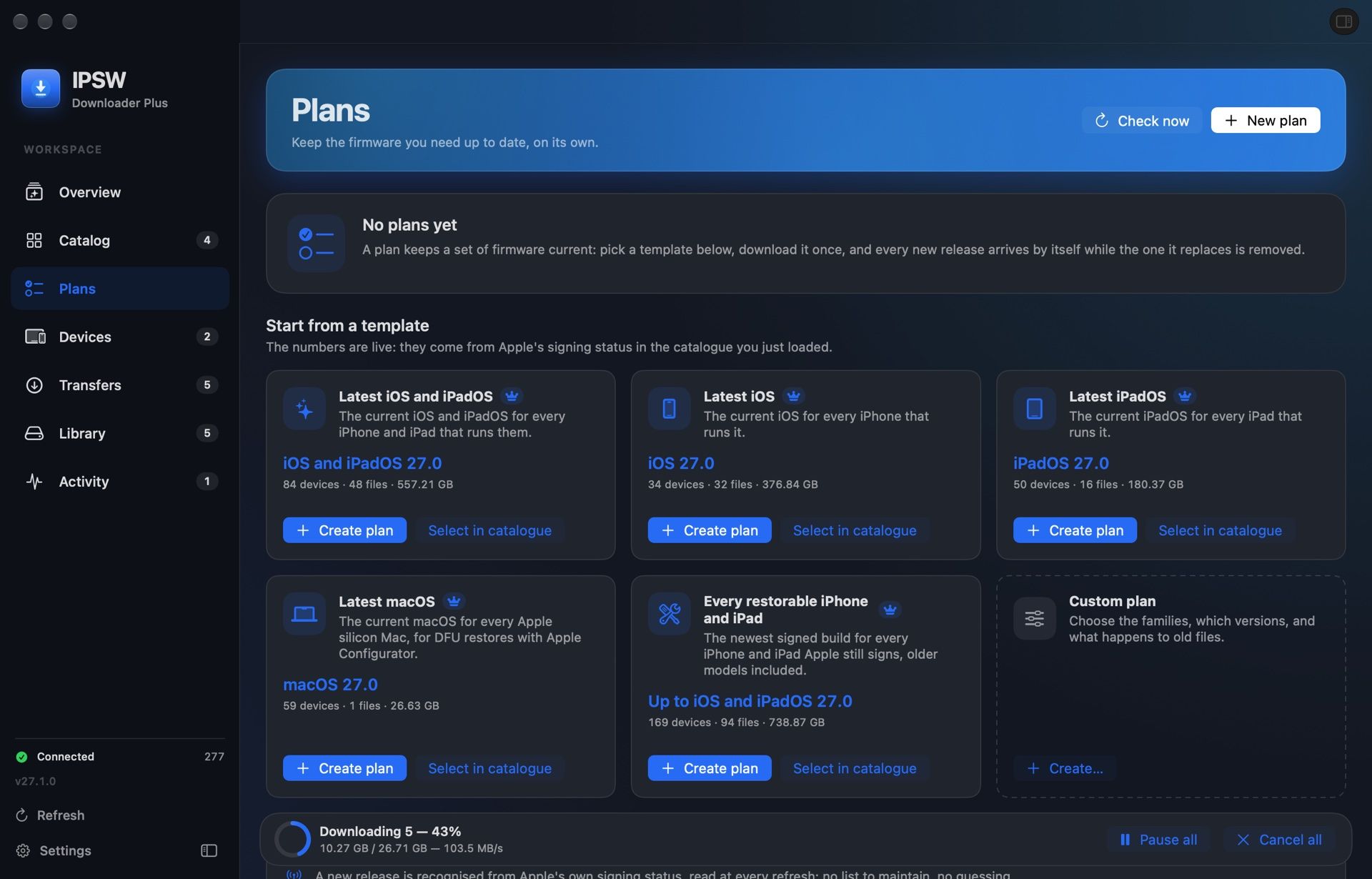
The Plans page with its templates: current iOS and iPadOS, current macOS, every iPhone and iPad that still restores.

Signing status, always current.

For every build you see whether Apple still signs it, before you download it.
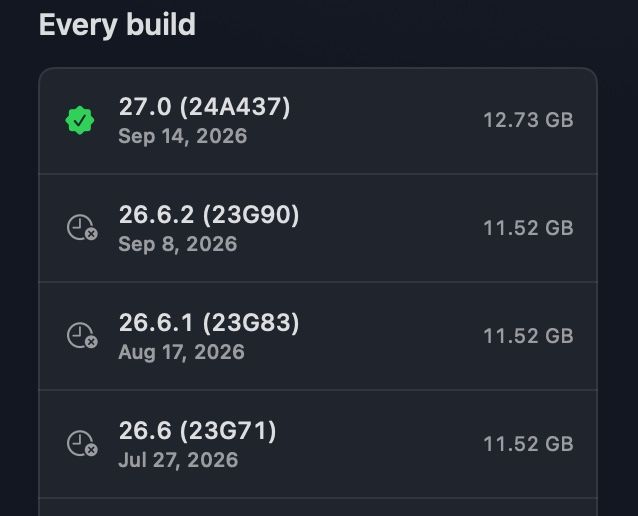
An iPhone’s version history, with the builds Apple signs and the ones it no longer does.

Every byte, verified.

File size and SHA-256 are compared with the build’s data. An incomplete file is never marked ready.

c42ef2720a9a8a405720e61694682fe6737b7d5003c381e9d261efb4045666c0

The SHA-256 of this version’s installer

Picks up where it left off.

A dropped connection does not throw away the gigabytes already downloaded.
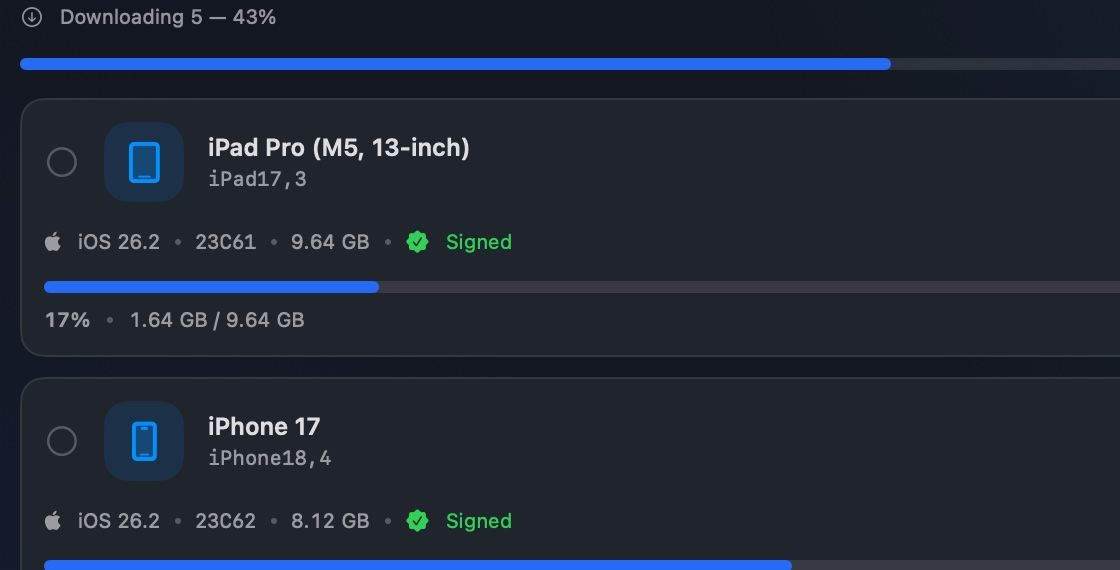
Two transfers in progress with their progress bars and the data downloaded so far.

A heads-up, wherever you are. Premium

A download finished, failed or a new release in a plan: you hear about it on your phone with ntfy, on Telegram, on Discord or through your own webhook.
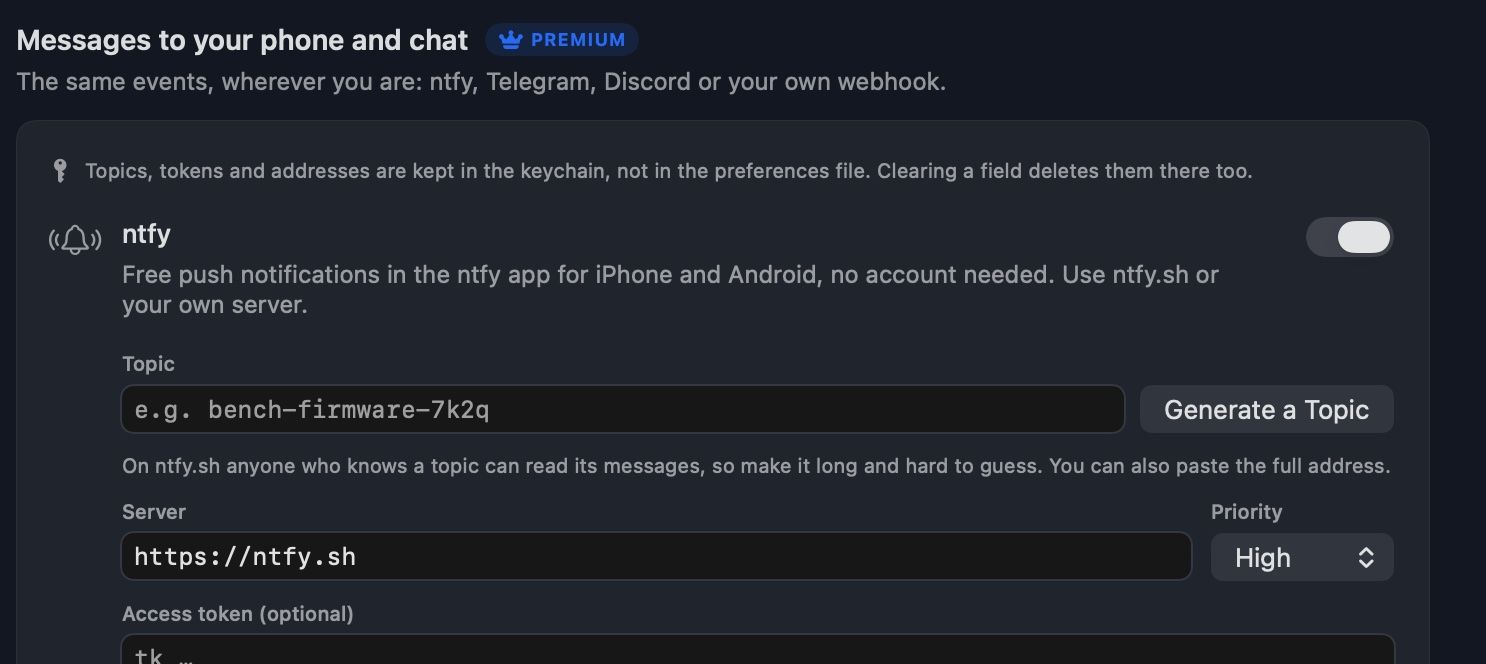
Settings, Notifications: ntfy switched on, with its topic, the ntfy.sh server, high priority and an optional access token.

Start for free. Do more with Premium.

The essentials stay free. Premium adds automation, devices and notifications. No subscription.

Free

For your everyday downloads.

€0 forever

  • Catalog, search and filters
  • One verified download at a time
  • Library in Apple’s folders
  • Connected devices and DFU guides
  • No account to create

Premium

For working with more devices.

€14.99 one-time purchase

  • Up to 5 downloads at once
  • Plans that fetch new releases on their own
  • Restore, revive and back up devices
  • Notifications on ntfy, Telegram, Discord and webhooks
  • Scheduled checks, compression and iCloud Drive copies
  • Premium themes and backgrounds
  • Free 90-day trial from the app
Buy Premium

Secure payment with Stripe. Your license arrives by email, ready to activate on your Macs.

Already have a license?
A few answers before you begin.

Which Macs are supported?
It needs macOS 14 Sonoma or later. One download includes both the Apple silicon and the Intel versions.
Where does the firmware come from?
Files download from Apple’s servers. Catalog data comes from ipsw.me and AppleDB. This website does not host Apple firmware.
Does the app restore my device?
Yes, with Premium. The Devices page restores, revives or backs up iPhone, iPad and Macs in DFU, with Apple Configurator installed. Without Premium you see the connected devices and the recovery and DFU guides.
How does the free trial work?
In the initial setup, which you can reopen from the Help menu, enter your email and confirm it: you receive a Premium license valid for 90 days. In return the app sends its own crash reports, and you can turn that off at any time.
Does Premium work offline?
Yes. The license signature is checked on your Mac, so an unreachable server does not deactivate a valid license. Trial licenses keep their expiry date.
Does my data stay on my Mac?
Yes. The catalog, downloads and library work locally, with no advertising and no usage analytics. The privacy notice has the details.
How do I install it?
Open the DMG and drag IPSW Downloader Plus to Applications. Your settings and library stay where they are with every update.

Your next firmware starts here.

Your Mac. Your devices. One app to keep them in order.

Version 27.1.1, 9.8 MB. macOS 14 or later.