New in 2.0: a whole new interface

A Mac in DFU. With one click.

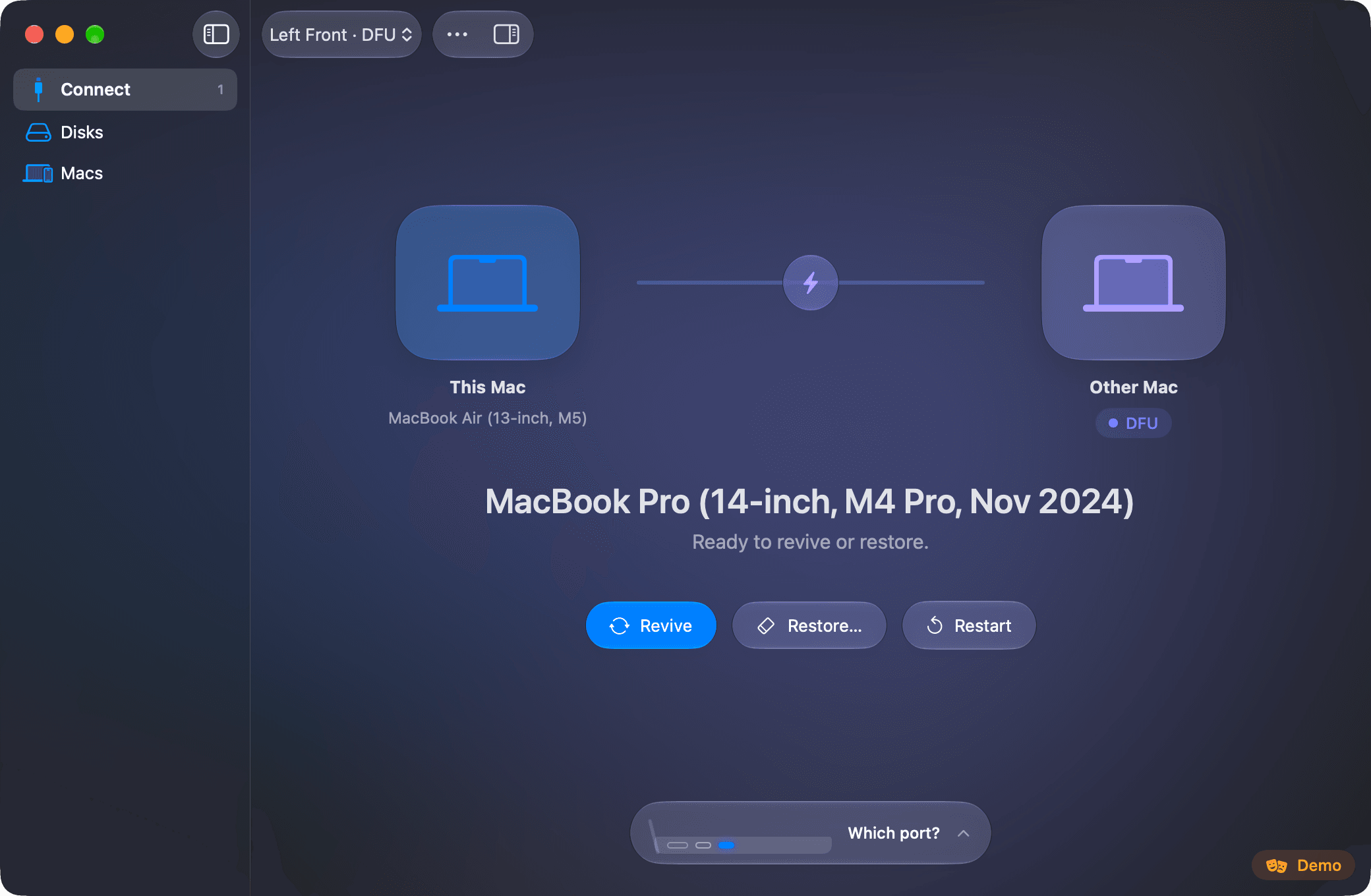
Connect two Macs with a USB-C cable. The app sends the other one into DFU, then revives it or restores it. No key combinations.

Mac DFU Studio: this Mac and a MacBook Pro in DFU joined by a cable, with the Revive, Restore and Restart buttons.

From the cable to a Mac that starts again.

  1. Connect

    The moment the cable goes in, the app recognizes the other Mac: model, chip, ECID and the state it is in.

    The inspector with the model, identifier, chip, ECID and iBoot version of the connected Mac.
  2. Enter DFU

    One click and the request travels down the USB-C cable. No key to hold with perfect timing.

    The Connect screen with the other Mac in DFU and the available actions.
  3. Choose

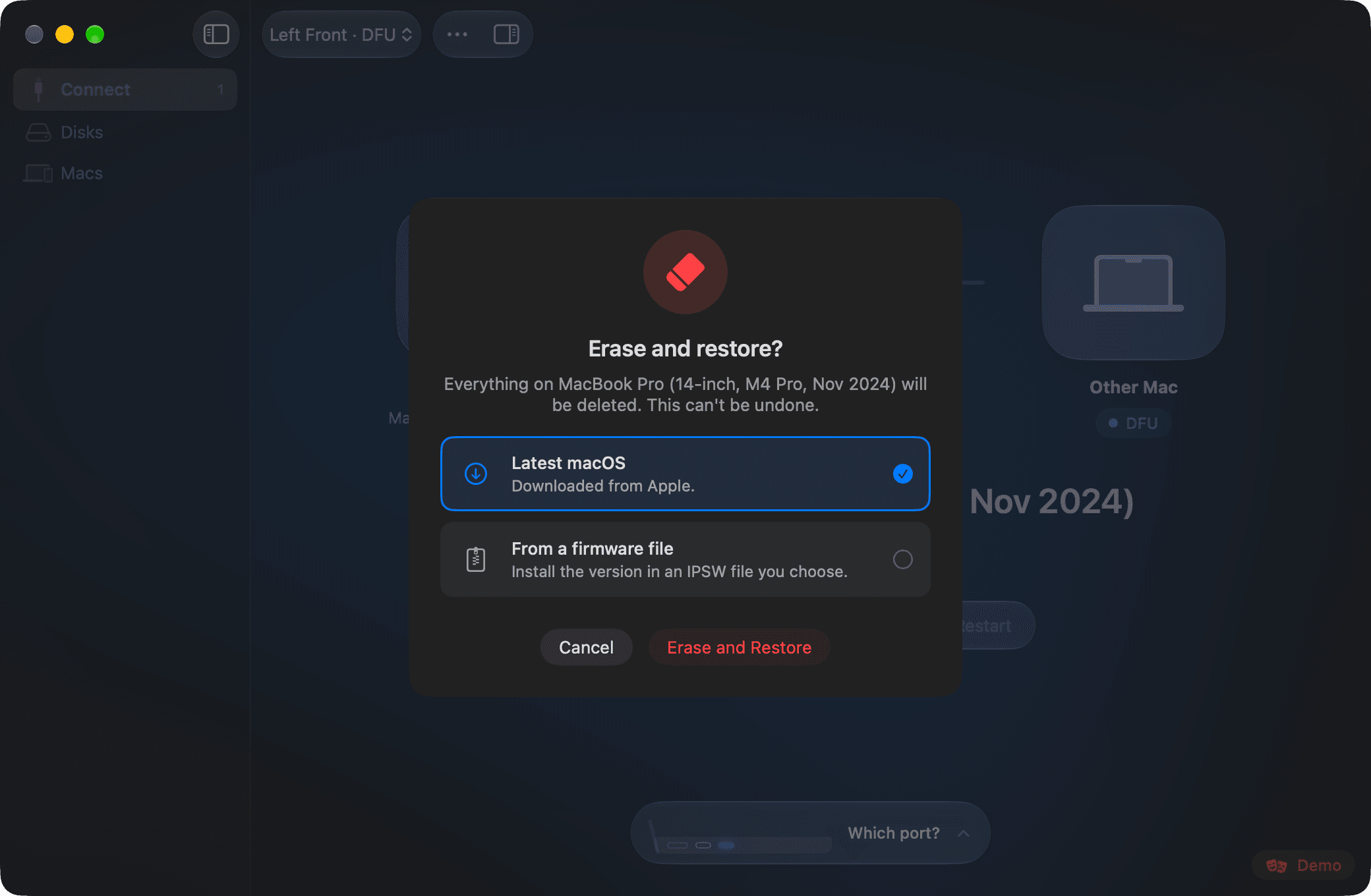
    Revive reinstalls the firmware and keeps the data. Restore erases the Mac with the latest macOS or with an IPSW file you pick.

    Choosing how to restore: the latest macOS or a firmware file.
  4. Follow

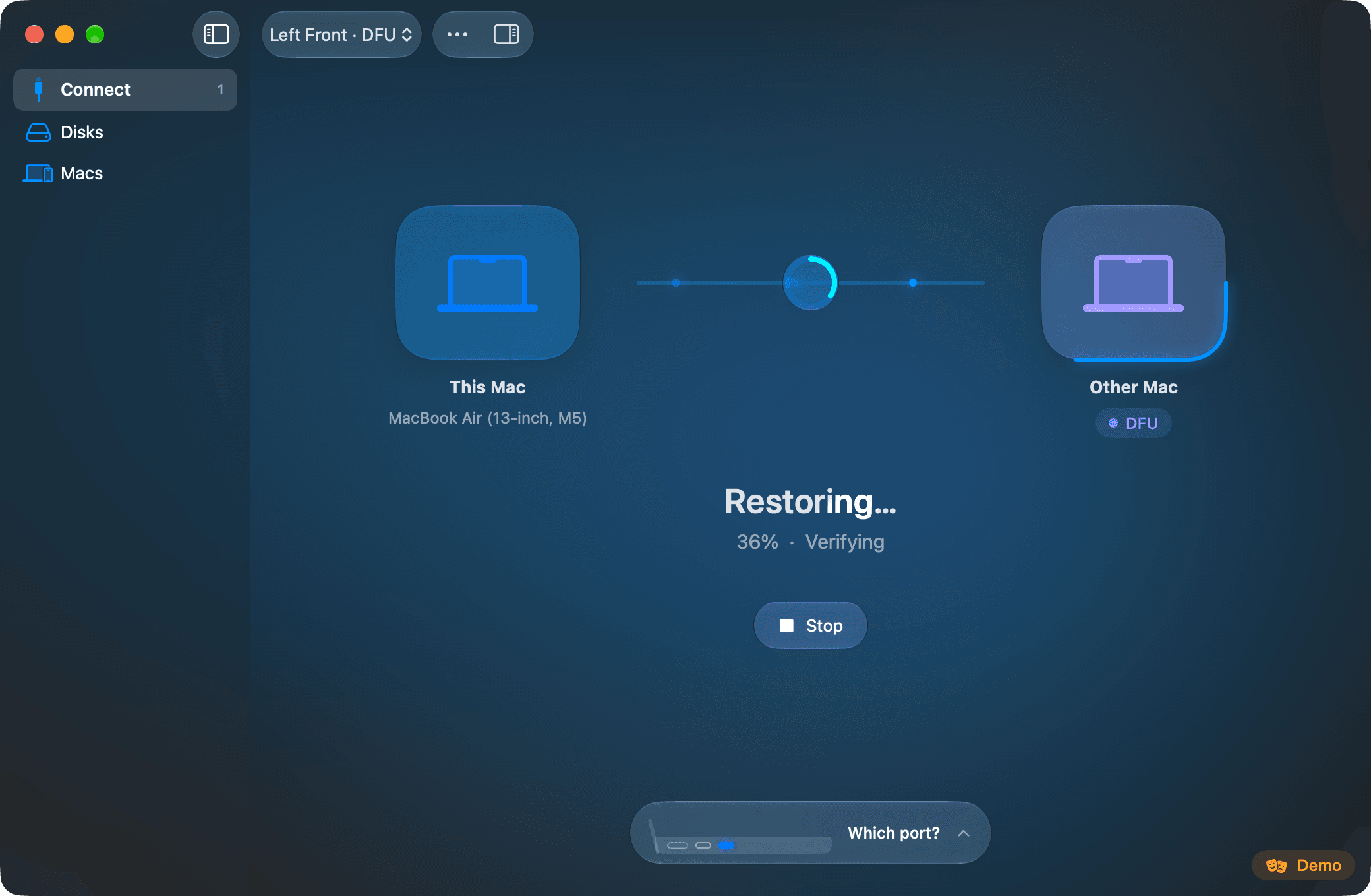
    Progress is live and the Mac stays awake until the end. A restore only starts after one explicit confirmation.

    A restore in progress, with its percentage and current phase.

Version 2.0 screenshots in demo mode, with simulated hardware.

It knows what you plugged in

Every Mac, its own port.

The DFU port is not always the one you expect. The app draws it for this Mac and for the other one, and tells you what state the thing you plugged in is in.

  • Booted
  • Recovery
  • DFU
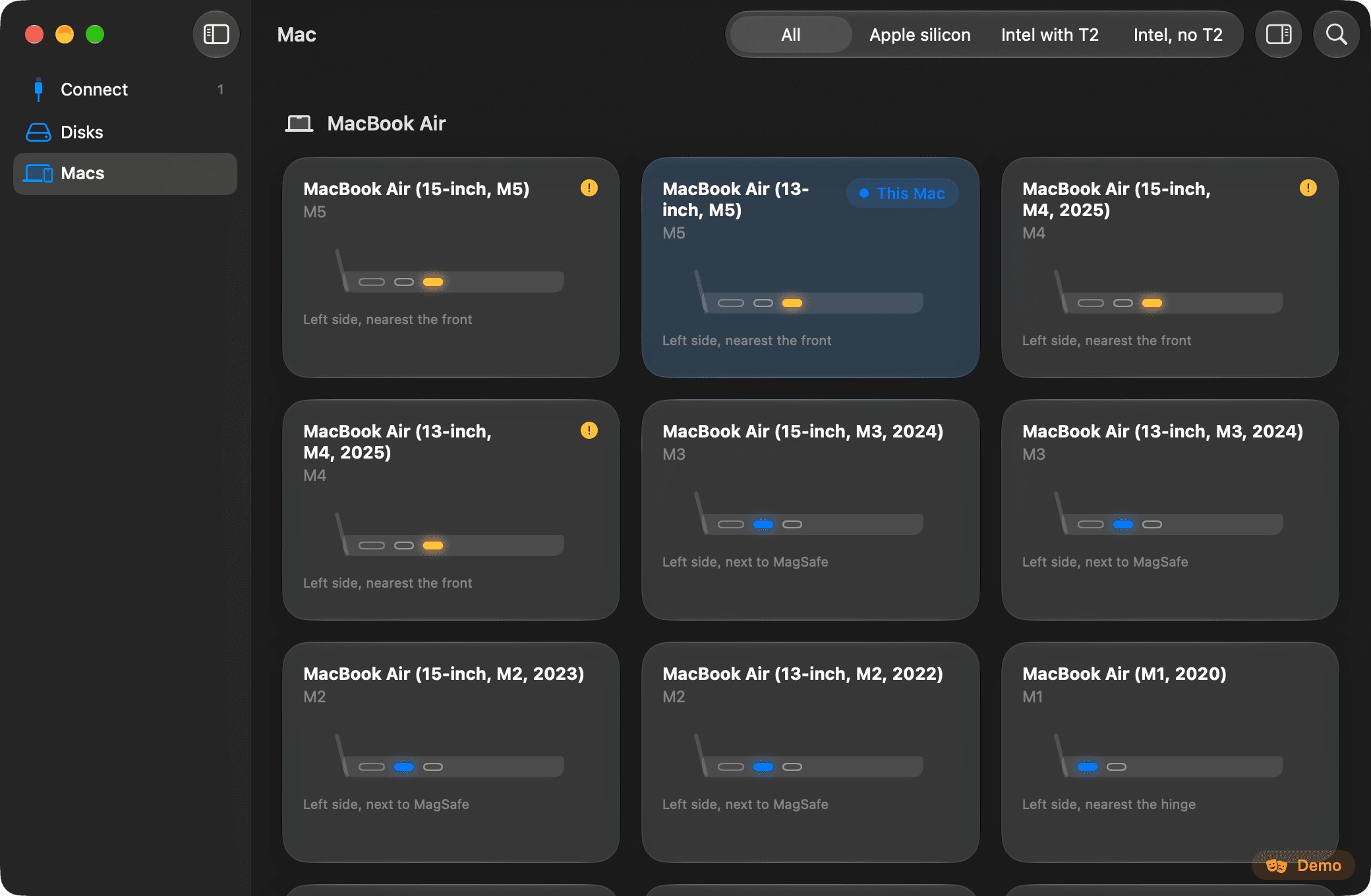
  • 86 models, with the port lit

    Apple silicon, Intel with T2 and Intel without T2, including the Macs where Apple moved the port.

  • Another Mac as a disk

    Guides for Target Disk Mode and Share Disk, with a read-only check and safe eject.

  • The wrong cable, said at once

    If the cable or the port cannot carry DFU, the app says so instead of leaving you waiting.

  • For the stubborn cases

    Restart over the cable, a port test, the serial console and debug USB, gathered in one menu.

Revive and restore use Apple Configurator, free on the Mac App Store. Everything else works without it.

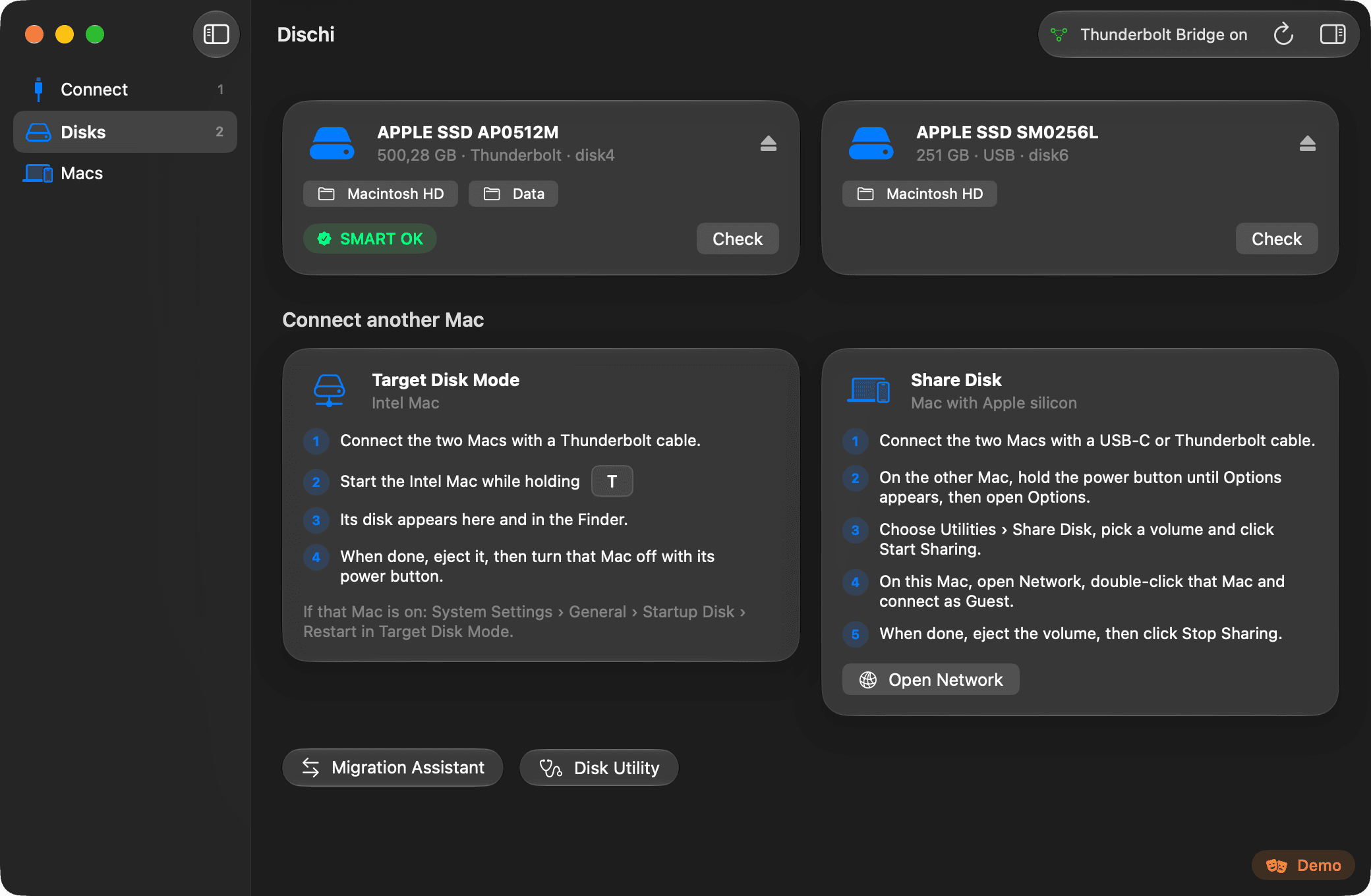
The library of Macs: every model with its DFU port highlighted.
The Disks page with external disks and the guides for connecting another Mac as a disk.

The details that make the difference.

Everything about the connected Mac.

Model, ECID, chip and board identifiers, iBoot version. And a log of what happened, one click away from the clipboard.
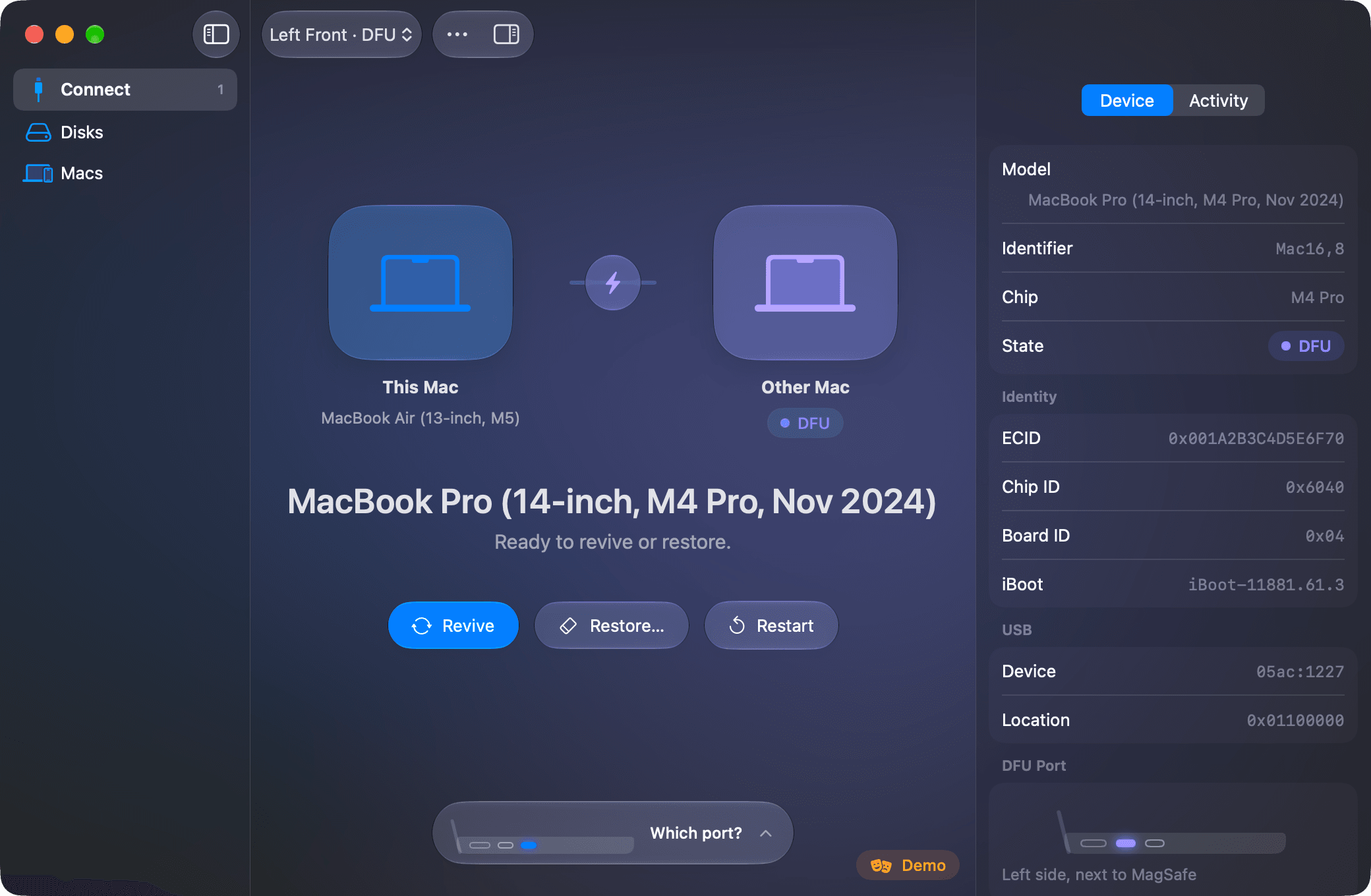
The inspector open beside the Connect screen, with the data of the Mac in DFU.

By hand, too.

When you need it, Apple’s key combination is drawn key by key.
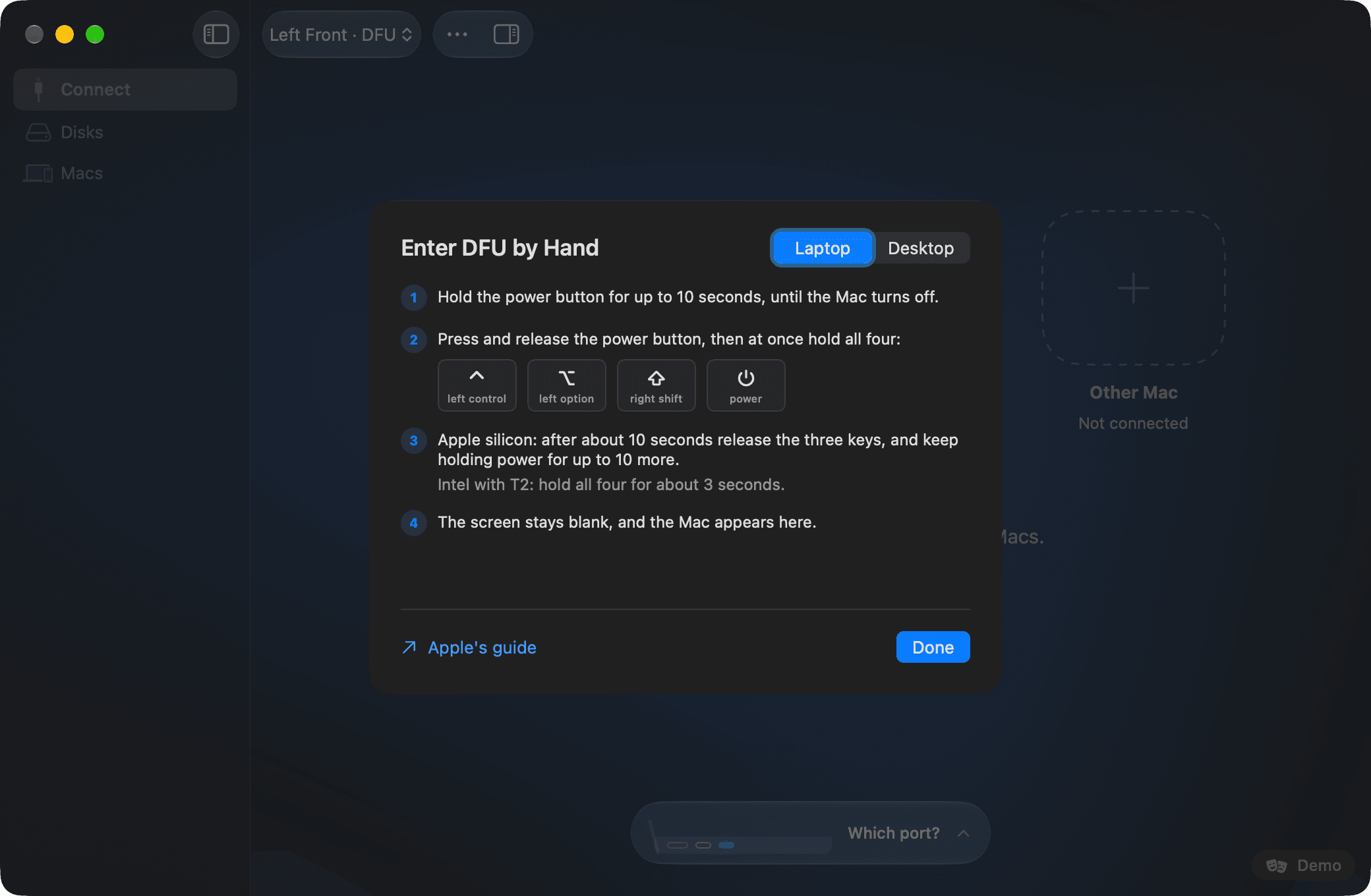
The guide to entering DFU by hand, with the four keys to hold.

Verified updates.

The app keeps itself up to date, and installs only what passes three checks.

Developer ID signatureApple notarizationAnnounced version

Checked on your Mac, before the app is replaced

Effects, if you want them.

The background takes the colour of the state. It all turns off with one click and follows Reduce Motion.

A restore in progress, with the background taking the colour of the operation.

Intel Macs with the T2 chip, too.

If the other Mac is an Intel with T2 the app switches to its message on its own. Restore rewrites the T2 firmware, then macOS installs from recovery.
The Connect screen with a Mac in DFU ready to be revived.

A few answers before you begin.

Which Macs do I need?
Running the app takes a Mac with Apple silicon and macOS 15 or later. The other Mac can have Apple silicon or be an Intel Mac with the T2 chip.
Which cable should I use?
A USB-C charge cable, like the one that comes with a MacBook. Not a Thunderbolt 3 cable, and no hub in between. It goes into the DFU port, which the app draws for both Macs.
Do I need Apple Configurator?
Only to revive and restore: it is free on the Mac App Store. Sending a Mac into DFU and everything else work without it.
What is the difference between revive and restore?
Revive reinstalls the firmware and keeps the data. Restore erases the Mac: back up first, if you can.
Why does it ask for an administrator password?
Talking to the USB-C port controller needs administrator privileges. The app only uses its own signed helper and verifies it before running it.
How much does it cost?
Nothing. Mac DFU Studio is free, with no account and no usage analytics. The only connection it opens on its own is the update check on GitHub.
How do I install it?
Open the DMG and drag Mac DFU Studio to Applications. From then on it updates itself.

Your next Mac starts again here.

Two Macs. One cable. The app does the rest.

Version 2.0.1. macOS 15 or later, on a Mac with Apple silicon.

The code on GitHub